I have bug in Windows 7 with usb devices.
When I boot recovery console and choose Command Prompt, I type Notepad --> File --> Open --> My Computer.
USB isn't shown, but in VMware it is. I hate this bug...
A forum for reverse engineering, OS internals and malware analysis
Search found 124 matches: AntiVM
Searched query: antivm
Re: Vmware Anti-AntiVM
by TwinHeadedEagle ¦ Fri Feb 22, 2013 12:05 pm ¦ Forum: Tools/Software ¦ Topic: Vmware Anti-AntiVM ¦ Replies: 4 ¦ Views: 8218Re: VirtualBox Anti-AntiVM
by EP_X0FF ¦ Fri Feb 22, 2013 9:46 am ¦ Forum: Tools/Software ¦ Topic: Vmware Anti-AntiVM ¦ Replies: 4 ¦ Views: 8218I came to conclusion that Virtual Box has too many bugs, so I installed VMware Workstation. Can you tell me are patched Virtual Box files better option for hiding VM presence than editing VMware vmx configuration file... And where is the location of that config file? I don't use Vmware. Posts moved.
Vmware Anti-AntiVM
by TwinHeadedEagle ¦ Thu Feb 21, 2013 3:38 pm ¦ Forum: Tools/Software ¦ Topic: Vmware Anti-AntiVM ¦ Replies: 4 ¦ Views: 8218I came to conclusion that Virtual Box has too many bugs, so I installed VMware Workstation.
Can you tell me are patched Virtual Box files better option for hiding VM presence than editing VMware vmx configuration file...
And where is the location of that config file?
Re: VirtualBox Anti-AntiVM
by TwinHeadedEagle ¦ Wed Feb 20, 2013 11:10 am ¦ Forum: Tools/Software ¦ Topic: VirtualBox Anti-AntiVM ¦ Replies: 63 ¦ Views: 214171I set to 1024x768 and, now it's good, no margines showing...
Re: VirtualBox Anti-AntiVM
by EP_X0FF ¦ Wed Feb 20, 2013 3:15 am ¦ Forum: Tools/Software ¦ Topic: VirtualBox Anti-AntiVM ¦ Replies: 63 ¦ Views: 214171MAXS wrote::DI dont see any problem.
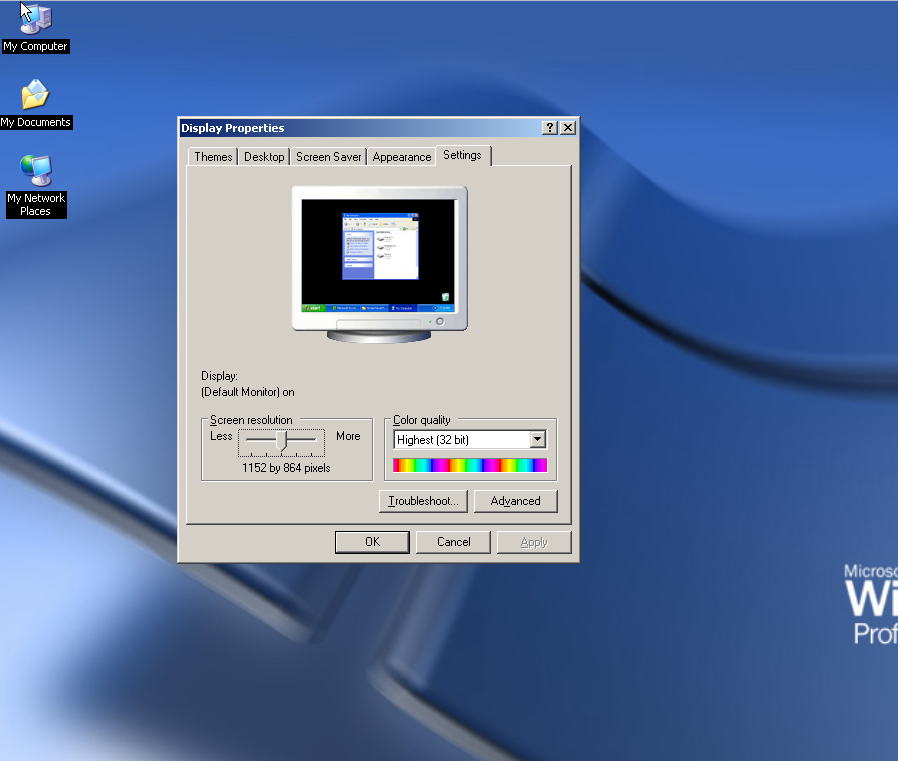
So it means I must not install anything, I need to work in original screen... :cry:
Re: VirtualBox Anti-AntiVM
by TwinHeadedEagle ¦ Tue Feb 19, 2013 1:59 pm ¦ Forum: Tools/Software ¦ Topic: VirtualBox Anti-AntiVM ¦ Replies: 63 ¦ Views: 214171:D
So it means I must not install anything, I need to work in original screen... :cry:
Re: VirtualBox Anti-AntiVM
by EP_X0FF ¦ Tue Feb 19, 2013 1:16 pm ¦ Forum: Tools/Software ¦ Topic: VirtualBox Anti-AntiVM ¦ Replies: 63 ¦ Views: 214171Which part of "never install VBox additions" you don't understand?
Re: VirtualBox Anti-AntiVM
by TwinHeadedEagle ¦ Tue Feb 19, 2013 9:14 am ¦ Forum: Tools/Software ¦ Topic: VirtualBox Anti-AntiVM ¦ Replies: 63 ¦ Views: 214171OK, I installed 64-bit version...
Is it possible to install just display drivers for full screen, undetectable by malware...
Re: VirtualBox Anti-AntiVM
by TwinHeadedEagle ¦ Mon Feb 18, 2013 5:34 pm ¦ Forum: Tools/Software ¦ Topic: VirtualBox Anti-AntiVM ¦ Replies: 63 ¦ Views: 214171Can you be little more precise?
Re: VirtualBox Anti-AntiVM
by EP_X0FF ¦ Mon Feb 18, 2013 4:41 pm ¦ Forum: Tools/Software ¦ Topic: VirtualBox Anti-AntiVM ¦ Replies: 63 ¦ Views: 214171MAXS wrote:Someone has patches for x86 version of VBox...fc to find difference with original files and hexeditor to do the same for 32 bit dlls.
No plans for patching x86 dlls as we don't use 32 bit VBox.